Play Diablo Demo Online in Your Browser
Play Diablo
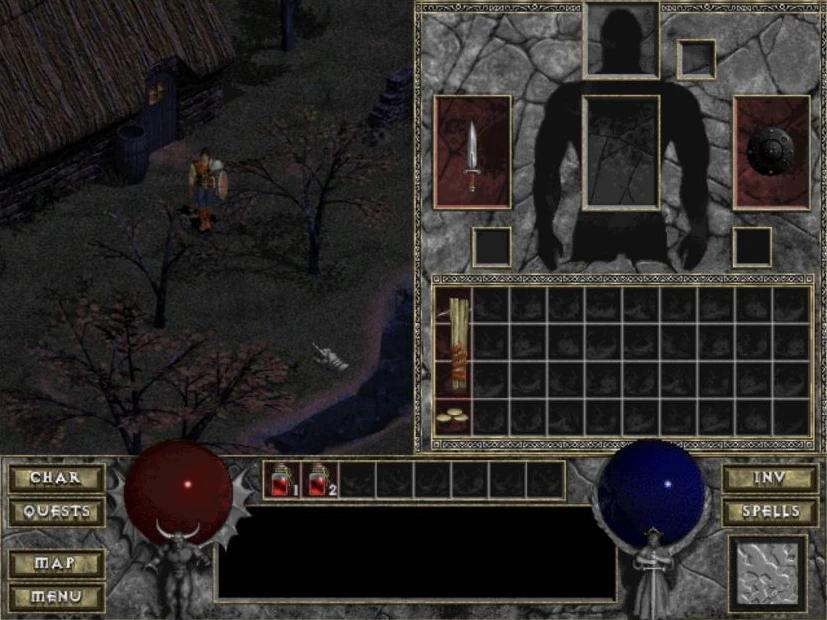
Left mouse click Move / interactI Open inventoryEnter Select a menu option
How to play Diablo in your browser
Click Play Game above, then click inside the game to give it keyboard focus. Use Fullscreen for more room.
- Press Play Game to load it. Choose Play Free Demo inside the game and wait for the initial resource loading.
- Use the new single-player hero flow, choose Warrior and enter a character name.
- Once in town, click a destination to move. Press I to inspect the inventory. The shareware demo has limited content.
Diablo keyboard and mouse controls
- Move / interact
- Left mouse click
- Open inventory
- I
- Select a menu option
- Enter
- Open menu
- Esc
Diablo not loading or controls not responding?
- Use Play Free Demo for the limited demo; full-game loading needs your own MPQ.
- If the source reports Game already open, close other Diablo Web tabs before retrying; do not clear saved data to fix that message.
- Export local saves before clearing browser storage or changing devices; save export itself was not tested here.
If the embedded game stays blank, reload the player or try the source page in a new tab.
Open game sourceBrowser version, game files and saves
- Version
- Diablo shareware demo through Diablo Web
- Access
- Play the shareware demo inside Arcadle using the embedded source player. The independently maintained Diablo Web project supplies the engine and demo resources. The original source opens in a new tab as a backup.
- Resources
- Choose Play Free Demo to load the source’s shareware archive. Full Diablo requires your own legally obtained DIABDAT.MPQ; Arcadle supplies no retail game files.
- Account
- No account or payment was requested in the tested demo session.
- Storage and saves
- The project documents local IndexedDB game/save storage and save export. Export/import was not tested. Clearing site data may remove local progress. Embedded and source-tab storage may be partitioned by the browser; do not assume that a character or cache transfers between them or from local preview to production.
Game source and WebAssembly runtime
Runtime: Reconstructed Diablo engine / WebAssembly client · View engine project
- Blizzard Entertainment Original Diablo game creator; original game listing on GOG
- Nikita Maksimov / JohnImril Browser client maintainer
- DiabloWeb and reconstructed Diablo engine Upstream browser/engine work; see the project credits
Browser, mobile and controller compatibility
Last checked . Compatibility notes apply to this browser version.
- Desktop ChromeTested
AI-operated local iframe review on macOS Chrome. Character creation, town movement and inventory were tested. Dungeon combat, save transfer/export, multiplayer, audio output and the full retail game were not tested. Production-origin gameplay is not yet verified.
- Phones and tabletsNot verified
Not tested by Arcadle. Source UI claims, where present, are not device verification.
Diablo browser game FAQ
How do I start the free Diablo browser demo?
Click Play Game, choose Play Free Demo inside the source player and wait for resources. Use the new single-player hero flow, choose Warrior and enter a character name. In town, click to move and press I to open inventory.
Do I need DIABDAT.MPQ for the Diablo demo?
Use Play Free Demo for the limited shareware demo. Full Diablo needs your own legally obtained DIABDAT.MPQ file. Arcadle does not provide retail game files or the full game.
What does Game already open mean?
The source can report this when Diablo Web is already open elsewhere. Close other Diablo Web tabs before retrying. Do not clear saved browser data just to fix this message.
Will my Diablo character transfer between browsers?
The project documents local IndexedDB storage and save export, but export/import was not checked. Clearing site data may remove progress. Do not assume embedded and source-tab saves or characters transfer to another device automatically.