
Play Quake II Online in Your Browser
Play Quake II
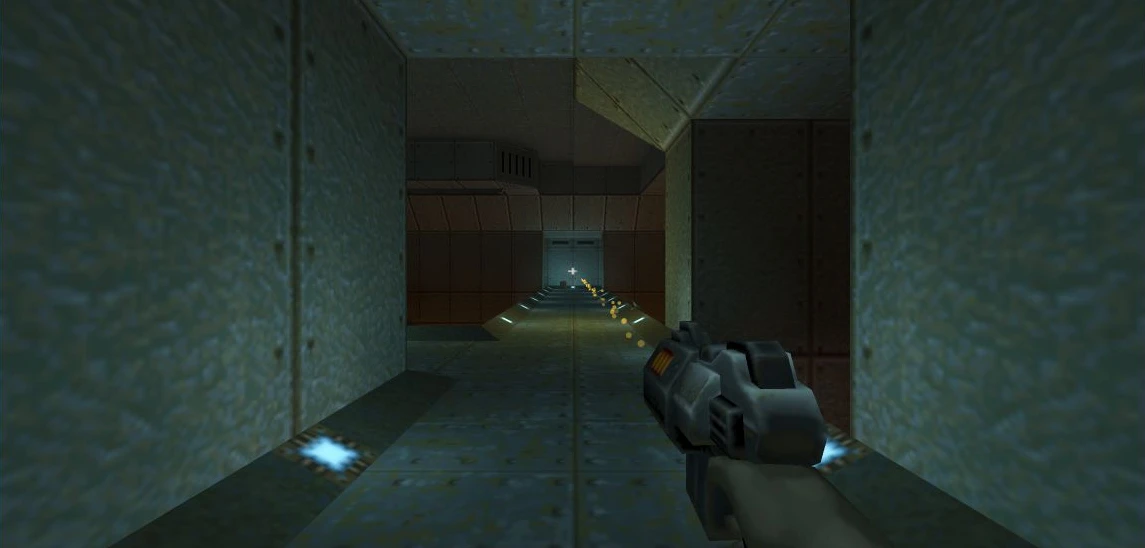
W A S D MoveArrow keys / mouse drag Look in the embedded clientCtrl / left mouse click Fire / respawn
How to play Quake II in your browser
Click Play Game above, then click inside the game to give it keyboard focus. Use Fullscreen for more room.
- Press Play Game to load the client, then enter a player nickname inside it.
- Select Play inside the source client and wait for its engine and map resources to finish loading.
- Click inside the game to focus it. Move with W A S D; use arrow keys or drag to look, and Ctrl or a mouse click to fire.
Quake II keyboard and mouse controls
- Move
- W A S D
- Look in the embedded client
- Arrow keys / mouse drag
- Fire / respawn
- Ctrl / left mouse click
- Release mouse or open game menu
- Esc
Quake II not loading or controls not responding?
- Give the initial resource download time to finish before reloading.
- If movement does not respond, click inside the game to focus it. Use Esc to release the pointer in first-person games.
- Try an up-to-date desktop browser and check the source for an error. A reachable launch page does not guarantee its multiplayer server is available.
If the embedded game stays blank, reload the player or try the source page in a new tab.
Open game sourceBrowser version, game files and saves
- Version
- Quake II multiplayer through FTEQW
- Access
- Play the independently hosted Quake II multiplayer client inside Arcadle. Its source supplies the engine, map resources and multiplayer server; the source link remains available as a backup.
- Resources
- The tested source displayed approximately 77.5 MB during first resource loading. This is an observed loader value, not a fixed download-size guarantee.
- Account
- The tested launch required a player nickname, not an account sign-in. Server rules may change.
- Storage and saves
- The source loads or caches game resources in the browser. Persistent scores, settings and saved games were not tested; do not assume progress transfers between sources or browsers.
Game source and WebAssembly runtime
Runtime: FTEQW Quake II engine / WebAssembly client · View engine project
- id Software Original game creator
- Pieter Source host and multiplayer deployment
- FTEQW team Game engine
Browser, mobile and controller compatibility
Last checked . Compatibility notes apply to this browser version.
- Desktop ChromeTested
AI-operated sandboxed local iframe review on macOS Chrome. Nickname entry, resource loading, map entry, movement, view changes and firing feedback were tested. Full matches, persistent progress, mobile, audio output and production-origin gameplay were not verified.
- Phones and tabletsNot verified
Not tested by Arcadle. Source UI claims, where present, are not device verification.
Quake II browser game FAQ
How do I start Quake II browser multiplayer?
Click Play Game, enter a player nickname in the source client and choose Play. Let the engine and map resources finish loading, then click the game to focus it.
Which keys control Quake II in this browser build?
WASD moves; arrow keys or mouse dragging changes your view; Ctrl or a left mouse click fires. Esc releases the pointer or opens the menu. These are the embedded client controls, not a console controller preset.
How much data does Quake II download before playing?
The local check showed about 77.5 MB during initial resource loading. That is an observed loader value, not a fixed total-size or loading-time guarantee. Keep the player open while its downloads finish.
Which Quake II browser version is on this page?
This page provides the FTEQW multiplayer client hosted at q2.pieter.com. Local testing verified map entry, movement and firing feedback.